

Downloading Alleles from PubMLST
The video walkthrough can be found at the bottom of the page.
1. Go to pubmlst.org
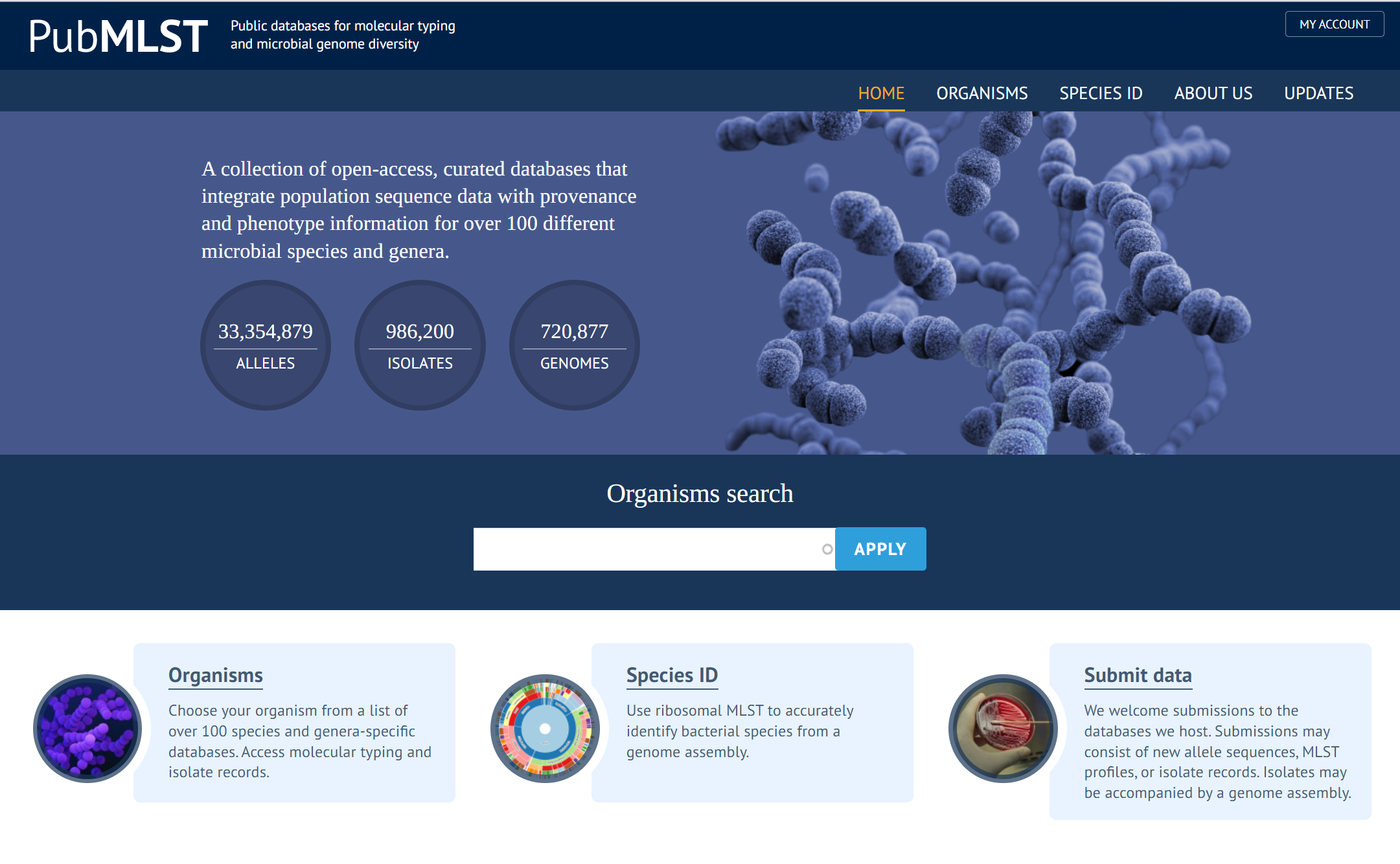
2. Select "ORGANISMS"
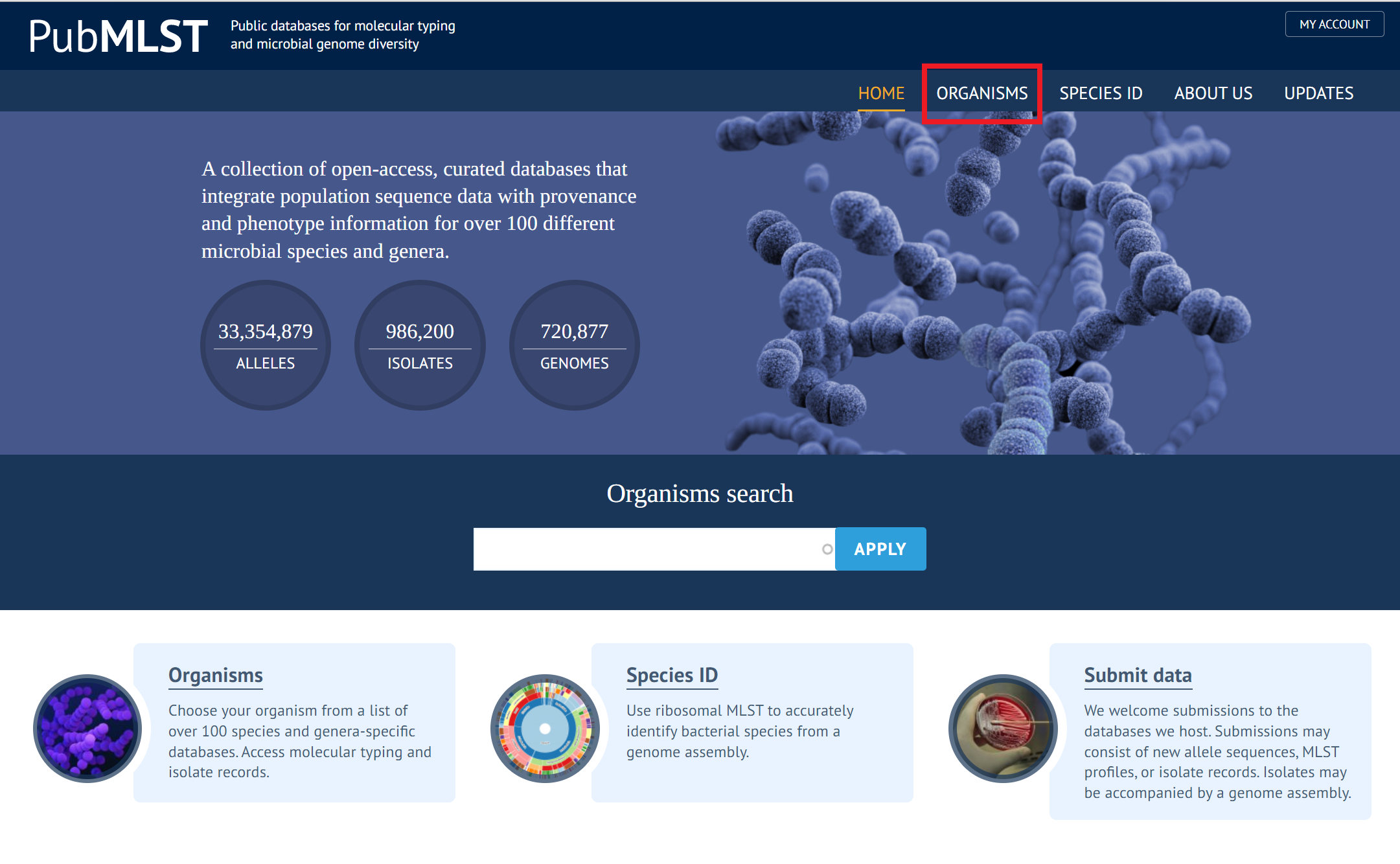
3. Select the organism you are looking at.
| Gene Starts With | Organism |
| ACIN.... | Acinetobacter baumannii |
| CAMP.... | Campylobacter jejuni/coli |
| NEIS.... | Neisseria spp. |
In this example we are looking at gene NEIS0051 so we will select Neisseria spp. The process is the same regardless of the organism.
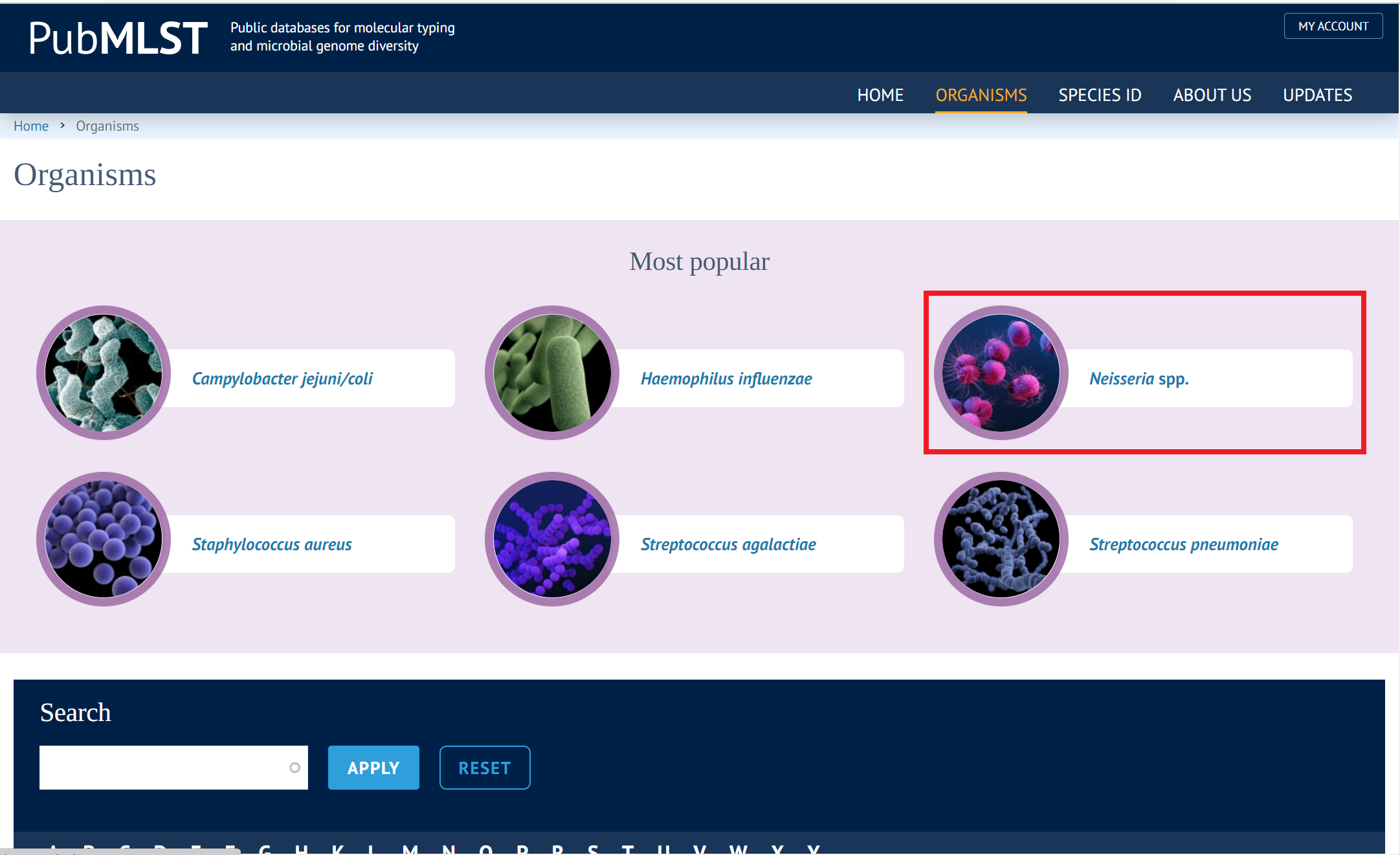
4. Then select the blue box "Typing"
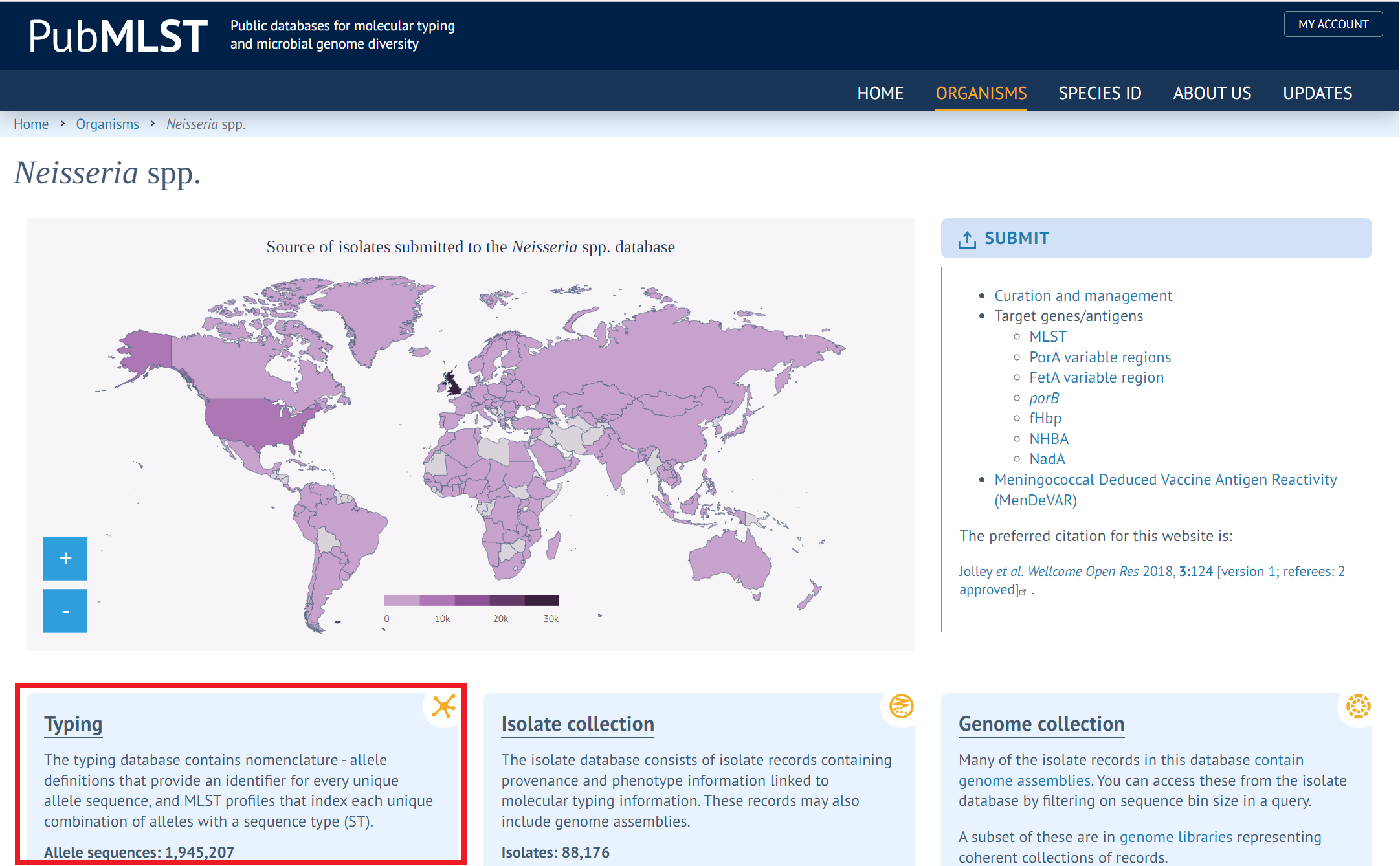
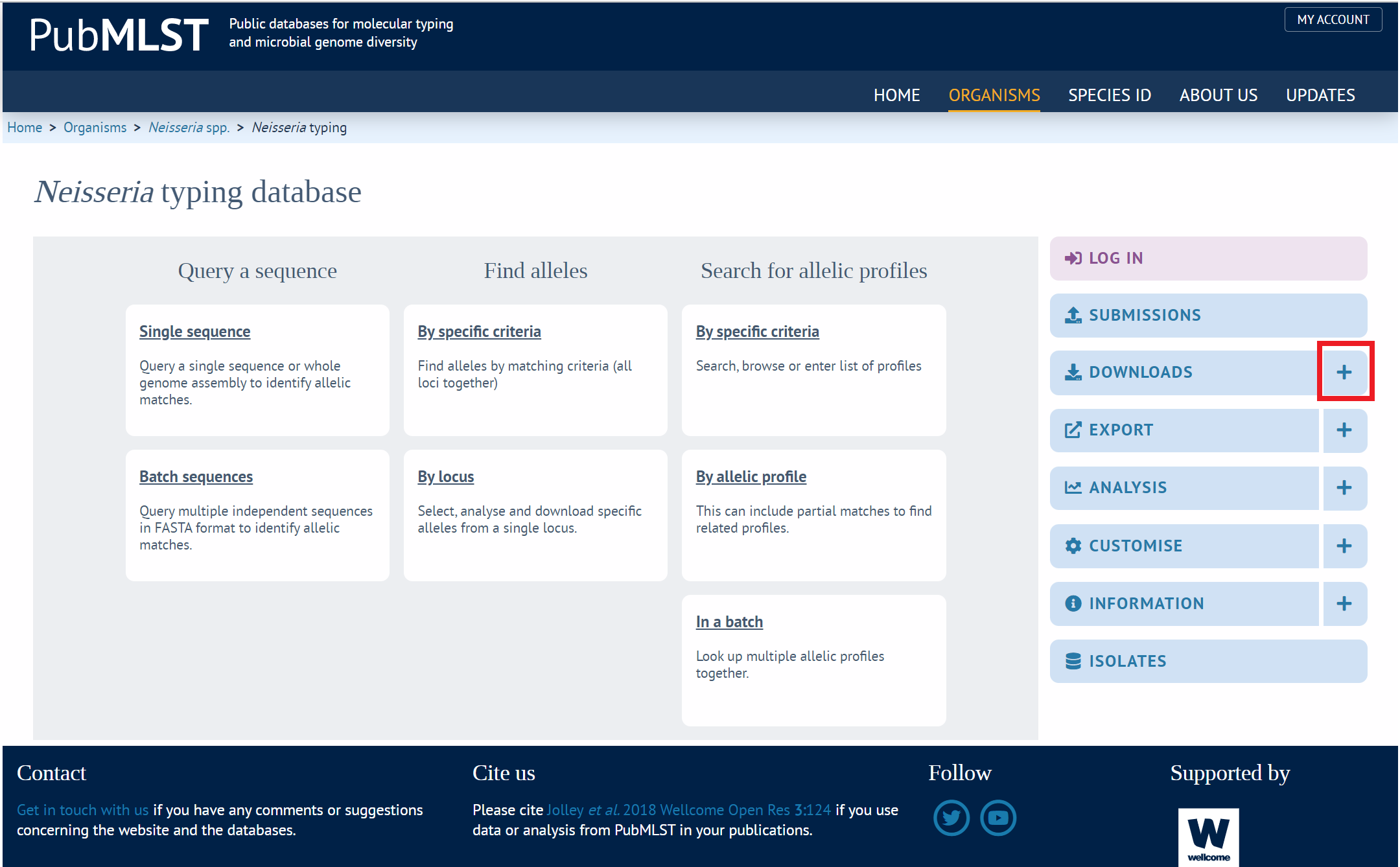
5. Select the + sign next to "DOWNLOADS" on the right - clicking "DOWNLOADS" itself won't work
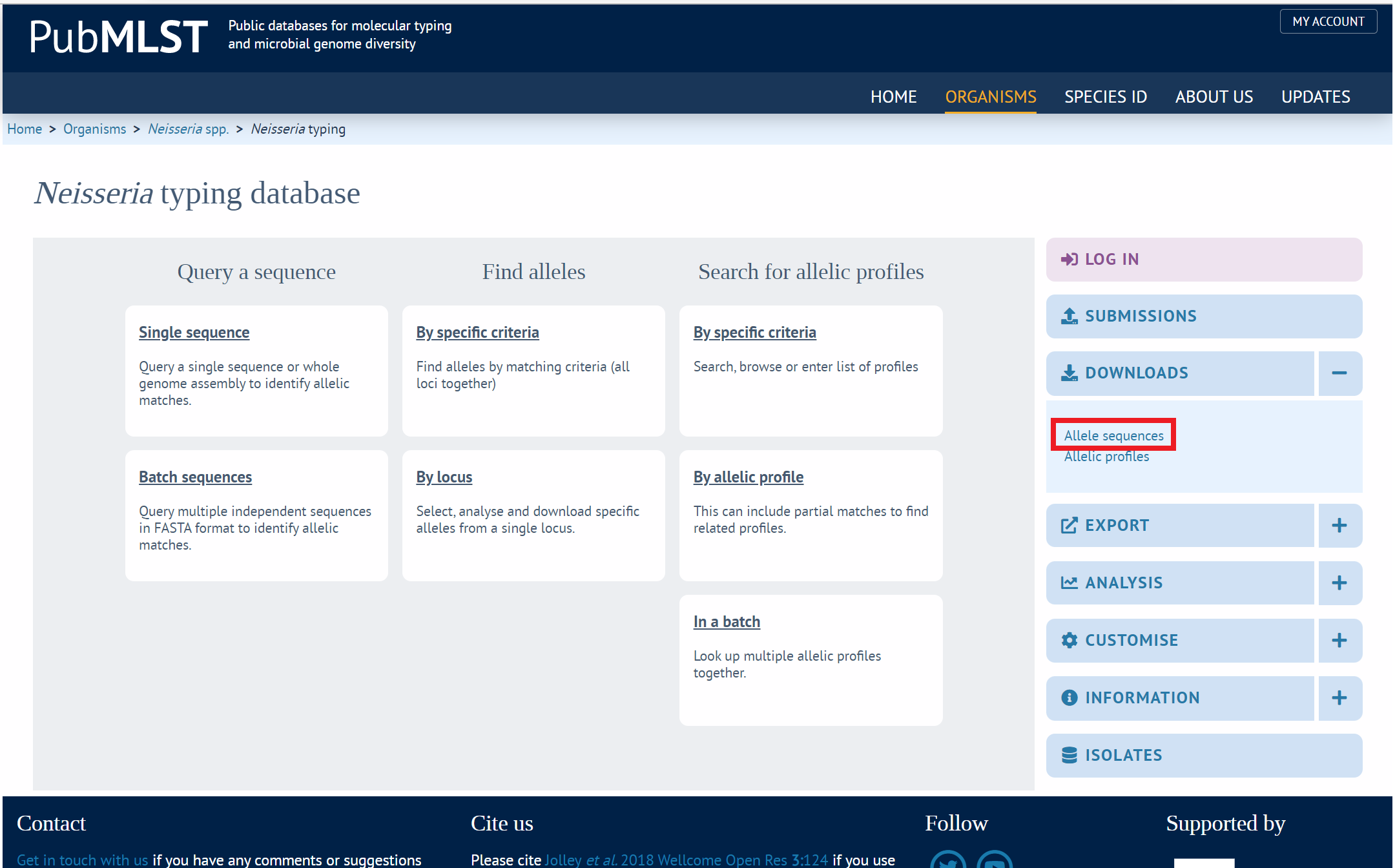
6. Then select the upper option "Allele Sequences"
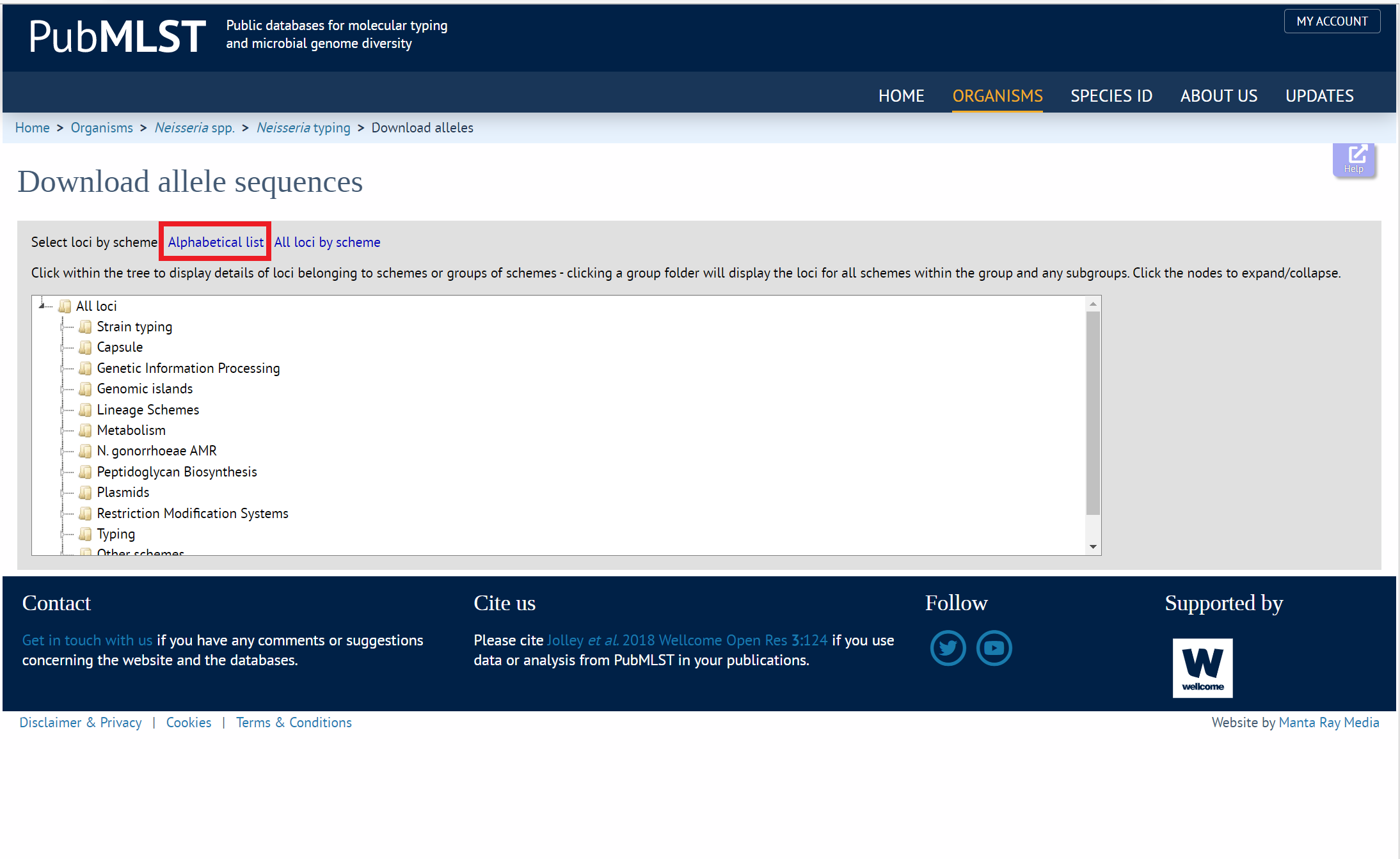
7. Then select "Alphabetical list"
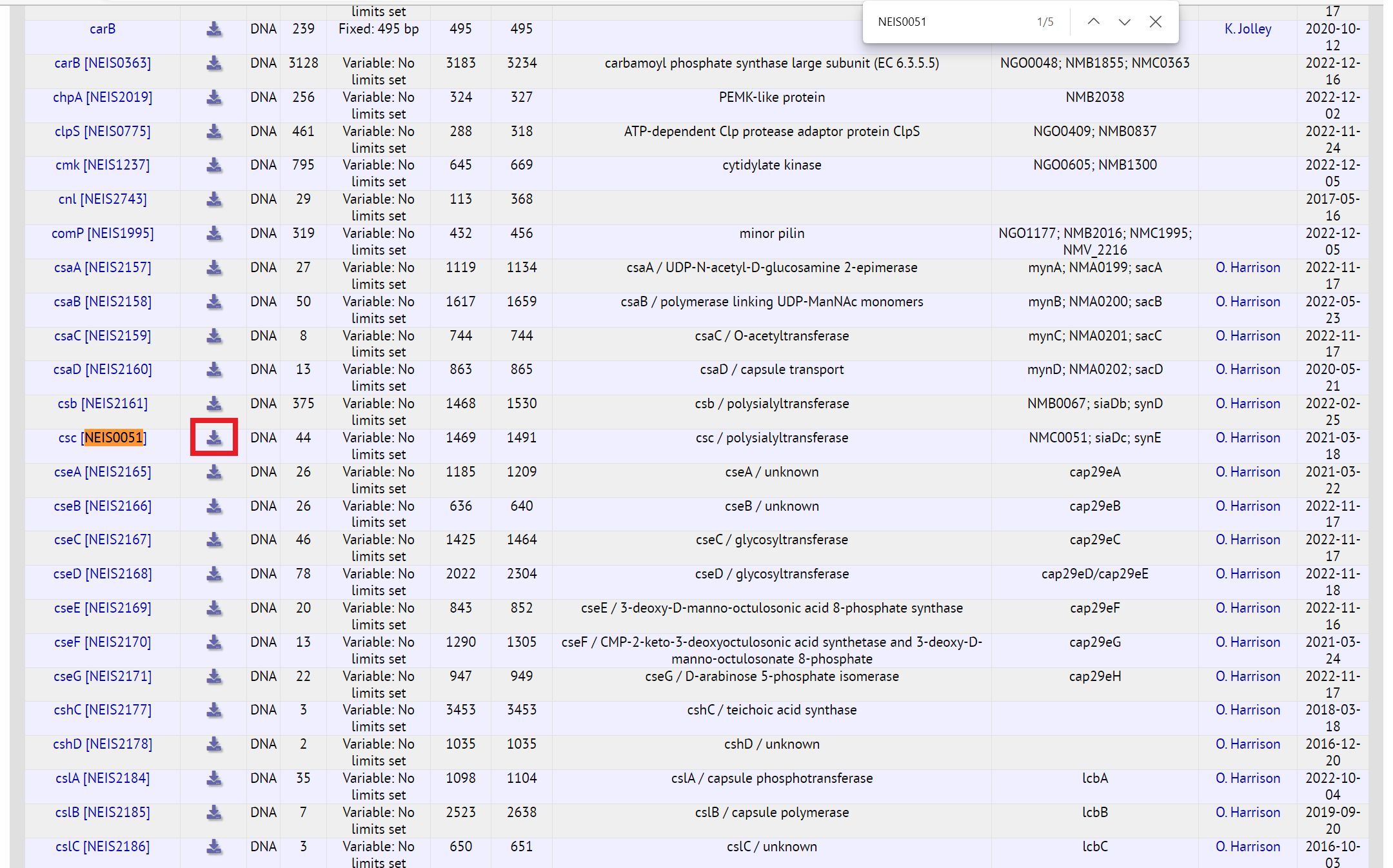
8. Next we search for our gene.
Use the Find function of your browser (usually Ctrl + F in Windows / Command + F in Mac)
Search for your gene: NEIS0051 for this example.
Click the download button to the right of it. The download will end in ".fas". Don't worry about duplicate search results - they are the same gene but under a different name.
Walkthrough:
The video discusses downloading the alleles for CAMP0021, from Campylobacter jejuni/coli. The walkthrough above is for NEIS0051, from Neisseria ssp. The process is the same for both, just select a different organism etc.
Simplified -
- Go to pubmlst.org
- Select "Organisms"
- Select the organism you are looking at
- Select the blue box "Typing"
- Select the + sign next to "DOWNLOADS" on the right - clicking "DOWNLOADS" won't work
- Then select the upper option "Allele Sequences"
- Then select "Alphabetical list"
- Use the Find function of your browser (usually Ctrl + F in Windows / Command + F in Mac) to search for the gene.
Select the download button to the right of it.